Hi Stephanie,
Thank you for taking the time to leave feedback and photos. They helped me see what’s going on.
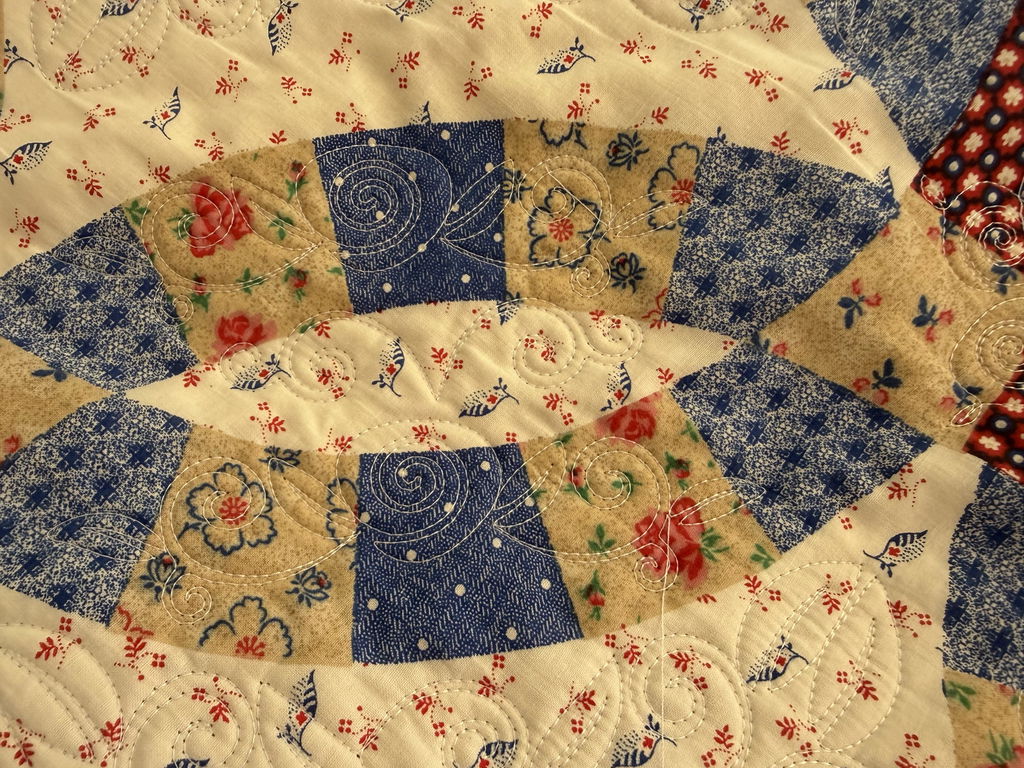
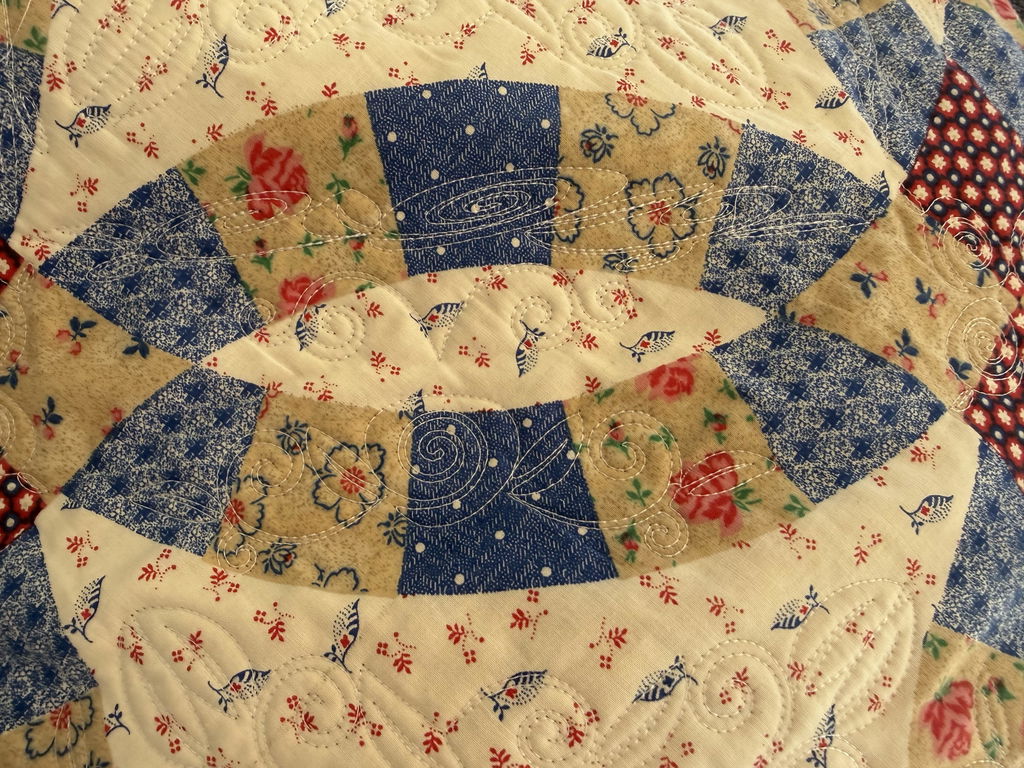
From your photo, it looks like the same arc design was placed on both arcs facing each other. The design on the opposite arc needs to be mirrored (flipped) so it lines up with that side’s shape. Here’s how to fix it:
1. Mirror the opposite arc
Place the arc design on the first arc as usual.
For the arc on the opposite side, select the design and use Mirror/Flip (horizontal or vertical, depending on how your block is oriented) before placing it.
The two arcs should now fit their sections and face each other correctly.
2. Resize proportionally (don’t stretch)
Select the whole design, not just part of it.
Make sure the aspect ratio is locked before resizing. Most software shows this as a lock 🔒 icon, or as a “Lock proportions” / “Keep aspect ratio” checkbox.
Enlarge or reduce until the design fits the section. Stretching only the width or only the height is what causes the heavy distortion.
If it still doesn’t fit after mirroring and resizing, please email me with the software you use and your block’s finished size. I’ll be happy to walk you through it step by step.
Happy quilting,
Sam